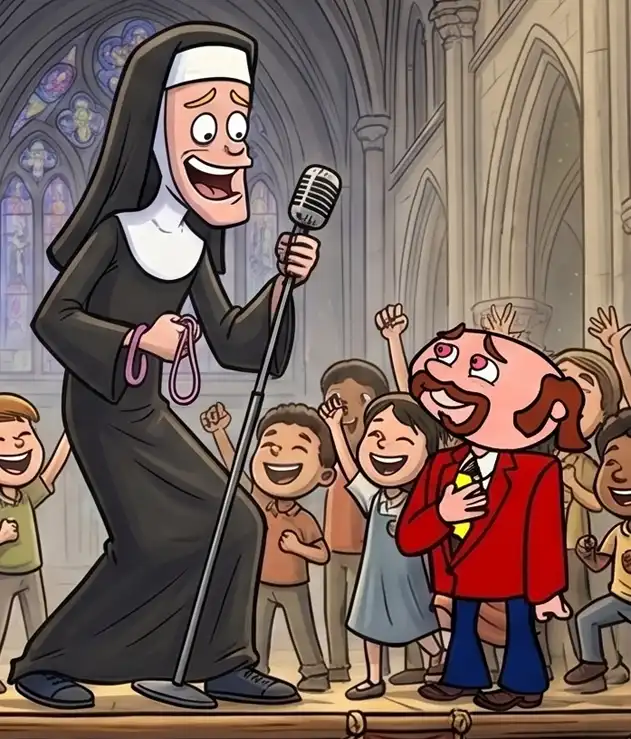
 Photo: Moe, Les, and Mr Big by Mario Pochat
Author: VANAS Team
Introduction to AI for Animation, Visual Effects, and Video Games
Table of Contents
- Why AI Matters for Animation, VFX, and Games
- Month 1: How AI Thinks
- Month 2: AI Video for 2D, 3D Animation, and Visual Effects
- Month 3: Final AI Project
- What Students Build Along the Way
- Why This Certificate Course Works for Busy Learners
- Frequently Asked Questions
- Key Takeaways
Why AI Matters for Animation, VFX, and Games
Modern creative production is changing faster than ever, and AI is now a core part of the story. Whether you want to make an animated short, a visual effects sequence, or a video game trailer, the ability to use AI tools with confidence is a game-changing advantage.
At VANAS, the new Introduction to AI for Animation, Visual Effects, and Video Games course is designed to help students understand not just the tools, but the reasoning behind them. That means learning where AI comes from, how it thinks, what it does well, and where it still needs a human to guide it.
This certificate course is built for students who want real hands-on experience. It does not assume you are already an AI expert. Instead, it gives you a structured three-term road map that starts with the fundamentals and ends with a finished project you can share.
The goal is simple: produce creative work using AI and develop the habits needed to use it in a professional workflow. By the end of the course, students will know how to move from idea to execution, whether they are drawn to animation, VFX, or games.
Month 1: How AI Thinks
The first month is the foundation. Students begin by learning what artificial intelligence actually is, where it comes from, and how it thinks. This is not a lecture about algorithms; it is a practical introduction to the behavior of AI when it is used to make creative decisions.
In this term, students explore the difference between generative AI and rule-based systems, and they learn why AI can feel creative even though it is following patterns in data. That understanding is important because it changes the way you ask questions and give instructions to AI tools.
Students also study the strengths and limits of AI in creative work. AI excels at generating ideas, producing variations, and finding unexpected combinations. It struggles with consistent character behavior, deep emotional nuance, and long-term narrative coherence unless a human guides it carefully.
Why does that matter? Because knowing what AI does well helps you use it where it counts. In Month 1, students practice prompting AI to produce screenplay beats and story concepts, and then they learn how to analyze those outputs critically.
The class also covers how to shape storyboards with AI assistance. Students learn how to turn screenplay ideas into visual responsibility, using AI tools to help sketch scenes, suggest camera angles, and establish mood.
By the end of this month, every student will have produced pre-production work that includes:
- screenplay outlines or short scripts
- scene breakdowns for animation, VFX, or game trailer ideas
- storyboard roughs created with AI-guided reference
- notes on how AI influenced the creative direction
This first term is all about building the right mindset. AI should feel like a collaborator, not a replacement. Students learn to invite AI into the process while holding onto the story and visual logic.
Month 2: AI Video for 2D, 3D Animation, and Visual Effects
Month 2 moves from planning into production. Students take the pre-production ideas from Month 1 and begin creating actual short video content using AI-driven pipelines.
The curriculum covers every step of a modern production flow. That includes screenplay development, storyboard refinement, AI video generation, audio post-production, and sequence editing. Students see how all the pieces fit together.
Generating video with AI is more than one click. Students learn how to:
- develop a prompt library for consistent visual style
- choose the right tool for 2D, 3D, or VFX-style footage
- combine AI-generated assets with traditional artist input
- use audio tools to turn dialogue, sound design, and music into a finished sequence
For 2D animation, the course emphasizes concept framing, style exploration, and motion guidance. AI can help create compelling layouts and animated motion studies, but students still learn how to refine those outputs for quality and storytelling.
For 3D-style animation and VFX, the class explores how AI can generate camera moves, environment concepts, and visual effects plates. Students learn to use AI-generated video as a production testbed, then polish the results with compositing and editing techniques.
Audio post-production is critical in this term as well. A great video sequence needs sound, so students work with AI-assisted voice, music, and sound design tools to deliver a complete short clip.
This term is practical and project-driven. Students are building short-form sequences, which might include:
- a character-driven 2D animation vignette
- a fast-paced VFX montage
- a teaser trailer for a game concept
By the end of Month 2, students have moved from idea to rough cut. They know how to keep a production pipeline moving and where to invest their creative energy for the biggest impact.
Month 3: Final AI Project
Month 3 is the capstone. Students bring together everything they learned and produce a final AI project that demonstrates their skills across the course.
This project can take several forms, depending on the student’s interest:
- an animated short scene
- a visual effects sequence
- a video game trailer
What matters most is the workflow. Students use AI-driven tools for ideation, production, and finishing, but they also show how they guided the process with strong storytelling and design choices.
The term begins with project planning. Students define a brief, set deliverables, and create a schedule that reflects realistic production constraints. That planning work is essential; it teaches the discipline needed for any studio environment.
Then students move into production. They apply AI tools to generate visuals, edit footage, and refine audio. They also learn the importance of iteration: test, evaluate, revise, and repeat.
A key outcome of Month 3 is a portfolio-ready piece. Students are encouraged to choose a final project format that aligns with their career goals. That could mean a short film for animation reels, a VFX breakdown for compositing portfolios, or a trailer concept that shows game design thinking.
The final project also includes documentation. Students explain how they used AI, what decisions they made, and where human direction shaped the result. This is the kind of reflective work employers and program admissions want to see.
After successful completion with a minimum grade of B- (73%), students may be eligible to continue into VANAS career diploma programs. This course is not just a certificate; it’s a bridge to longer-term study and more advanced creative training.
What Students Build Along the Way
The course is structured to produce concrete outputs each term. That means students do not just learn concepts; they create work they can share.
Here’s a quick breakdown of student deliverables:
- Month 1: screenplay concepts, storyboards, AI-guided pre-production notes
- Month 2: short AI-generated video sequences, audio post-production, rough edit
- Month 3: final project piece, project documentation, project presentation
Working this way helps students build confidence. They learn that AI is most effective when it supports strong creative thinking, not when it replaces it.
VANAS also emphasizes constructive feedback. Students review each other’s work, discuss what worked well, and identify where AI needed more direction. That collaborative process mirrors real production teams.
Why This Certificate Course Works for Busy Learners
The course is ideal for students who want a focused, one-month intensity per term. Each month is a clear phase:
- Month 1: build understanding and pre-production
- Month 2: produce short-form video with AI tools
- Month 3: complete a final project and prepare for next steps
Live online classes are designed to accommodate different schedules and learning styles. That means students can join discussions, access recorded sessions, and practice outside of class time.
The format is also friendly to people who are new to AI. The first month builds the mental model of how AI thinks, rather than starting with tools right away. That makes the later production work more meaningful.
For students who already have creative skills, the course is a way to apply those skills with new AI workflows. For students who are new to production, it is a guided introduction to modern pipelines.
Most importantly, the course helps students think like producers and storytellers as well as tool users. That is the difference between making something that looks cool and making something that feels complete.
Frequently Asked Questions
Who should take this course?
This course is perfect for aspiring animators, visual effects artists, and game creators who want to learn how AI fits into creative production. It works well for beginners and for artists who already have some digital skills.
Do I need prior AI experience?
No. The course starts with foundational principles in Month 1, so students do not need prior AI experience. They do need curiosity, creativity, and a willingness to experiment.
What do I need to take the course?
A standard laptop or desktop, stable internet access, and a willingness to learn new tools. Students also get guidance on the specific AI platforms and software used during the course.
What happens after I finish?
Students leave with a portfolio-ready final project, a better understanding of AI workflows, and the opportunity to continue into VANAS diploma programs if they meet the grade requirement.
How long is each month?
Each term is one month long. The course is structured so students can make measurable progress each month without feeling overloaded.
Key Takeaways
Artificial intelligence is changing how animation, visual effects, and video game production happen. The best way to learn it is by doing.
VANAS breaks that learning into three focused terms: understanding how AI thinks, applying AI to short-form video production, and building a final project that brings everything together.
Students learn not only tools, but also how to direct AI, evaluate its strengths, and fix its weaknesses. That skill set is what makes AI useful in a real creative workflow.
If you want to turn your ideas into motion, sound, and story with AI, this course gives you a clear path. It helps you build the mindset, the production habits, and the portfolio work needed to move forward in animation, VFX, or games.